The problem is training, not effort
The video is pitched at the owner or GM who cannot leave the office because every estimate runs through their desk. Its premise is blunt: technicians do not always know what they are doing in the field, and most of them do not know how to take a picture of anything. They are not going to watch a 45-minute documentary on photo documentation. They will watch one minute, so you send them the one minute and write your estimate in peace.
The failure it corrects is specific. A tech walks in, takes 87 pictures of the damage, takes three photos of floorboards, and walks out. As the video puts it, that does not tell anybody anything. You can see wet drywall, but not which wall it is on. You can see flooring, but not where the material changes. You can see a cabinet, but not its relationship to the affected area.
You can see wet drywall, but not which wall it is on.
Set the camera before you shoot
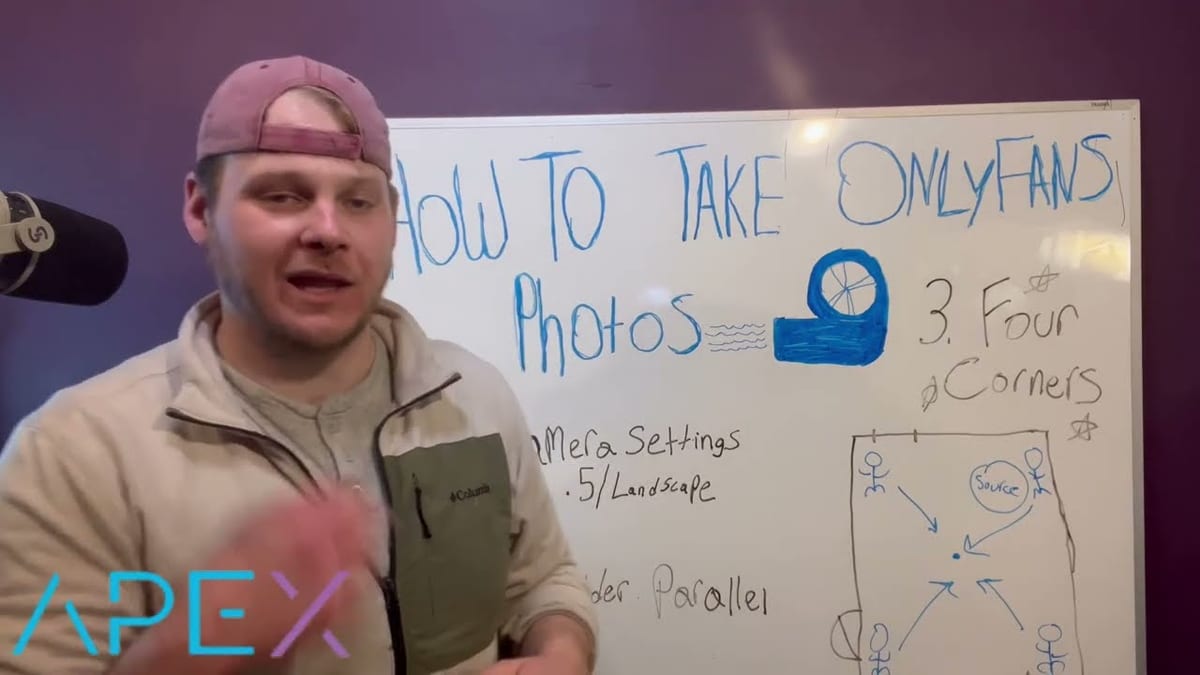
The video promises the whole method in three steps, and the first is the camera itself. The settings, as it puts it, are crucial: 0.5 zoom and landscape mode. Pinch out to the wide lens on your iPhone, flip the phone sideways, and keep your shoulders parallel. The target is a 360 of the room, which means getting as much of the ceiling and as much of the floor into the frame as you possibly can.
Zoomed out that wide, one frame carries what a close-up never will: the surface, what it meets, and where it sits in the room. Ceiling and floor in the same shot tie the walls and the flooring together in a single image. The detail photos of the damage still have a place, but they only mean something once the wide views exist to locate them.
Four corners, one or two frames each
Stand in each of the four corners of the room and shoot toward the center. One or two photos from each corner gives you a full panoramic of the space, and repeating that in every affected room gives the office the entire job site in a handful of deliberate frames instead of a camera roll it has to reverse-engineer.
Then pick up the boundaries. Show where flooring changes, where the next room begins, where cabinets stop, and where the visible condition appears to end. Those transitions explain quantities and scope, and a smaller set of deliberate images will do more for the estimate that comes back than another batch of near-duplicate close-ups.
Shoot for the person who was not there
Your technician already knows what the room looked like. The estimator does not. Every photo should help that second person locate a condition, understand the surrounding material, or answer a scope question. That is the trade the video offers both sides: the office gets a set it can write the estimate from and justify the invoice with, and the tech gets a PM who finally stops asking for better job site photos.
Axiom Photos carries that context into a room-organized draft. Better coverage gives the system more useful evidence to match against similar losses, and it gives the human reviewer a faster way to confirm or correct the result.