The SLA the program cares about most
The industry argues endlessly about whether TPAs are good or bad. The video sets that aside and asks a narrower question: if you are on a program, how do you get more assignments from it? The answer is your grades, the service-level metrics the TPA tracks on every file, and the one they care about most is how long you take to complete the estimate after the job is assigned.
The target is under five days from date received to estimate submitted. Technically the cutoff behaves like 5.99 days because they do not round down, but building your process around five keeps you safely inside it. It is also the reason an estimating tool has to be judged on the whole turnaround, not on how fast it generates a draft: the clock the TPA reads starts at assignment and stops at submission.
Build the tracker from the XactAnalysis export
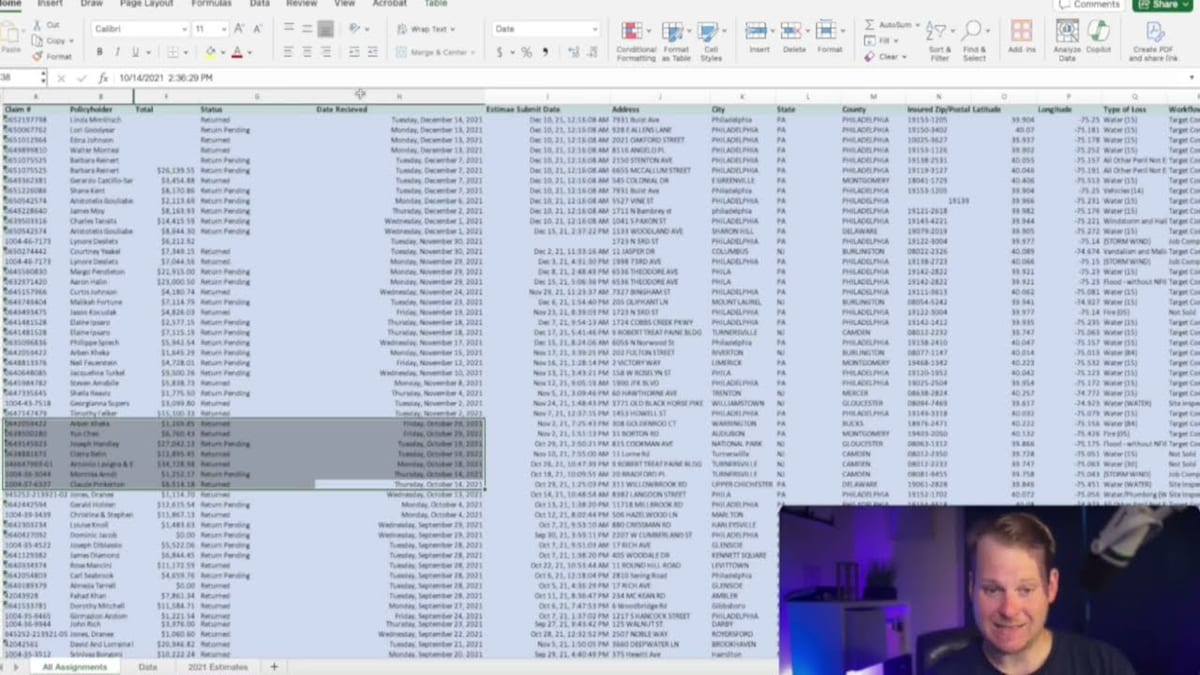
XactAnalysis will export your job data — the same system whose open API can automate your SLAs outright — and the export is rich, down to document counts per file. For this exercise you need two columns: date received and estimate submit date. In a spreadsheet, add a column that subtracts date received from the submit date, or from the current date for jobs still open. The NOW() function gives you current date and time for the open files.
That one formula tells you three things at a glance: how long each open job has been sitting, how much runway you have before the five-day mark, and what your actual turnaround has looked like over the month or the year. Conditional formatting on the column makes the at-risk files impossible to miss.
Prioritize the files you can still save
The discipline the tracker enforces is triage. A file sitting at 6.7 days is already outside the window; do not abandon it, but do not let it jump the queue either. Prioritize the estimates you can still land under five days, because those are the ones that move your grade, and per the video's argument, moving that grade increases assignment flow immediately.
This is also where compressing the estimate itself pays off. Axiom turns job photos and measurements into a room-organized draft estimate your estimator reviews, adjusts, and exports as a native ESX. If the program clock starts at assignment, a first draft measured in minutes instead of days is the easiest way to live under it.
Prioritize the estimates you can still land under five days. Those are the ones that move your grade.